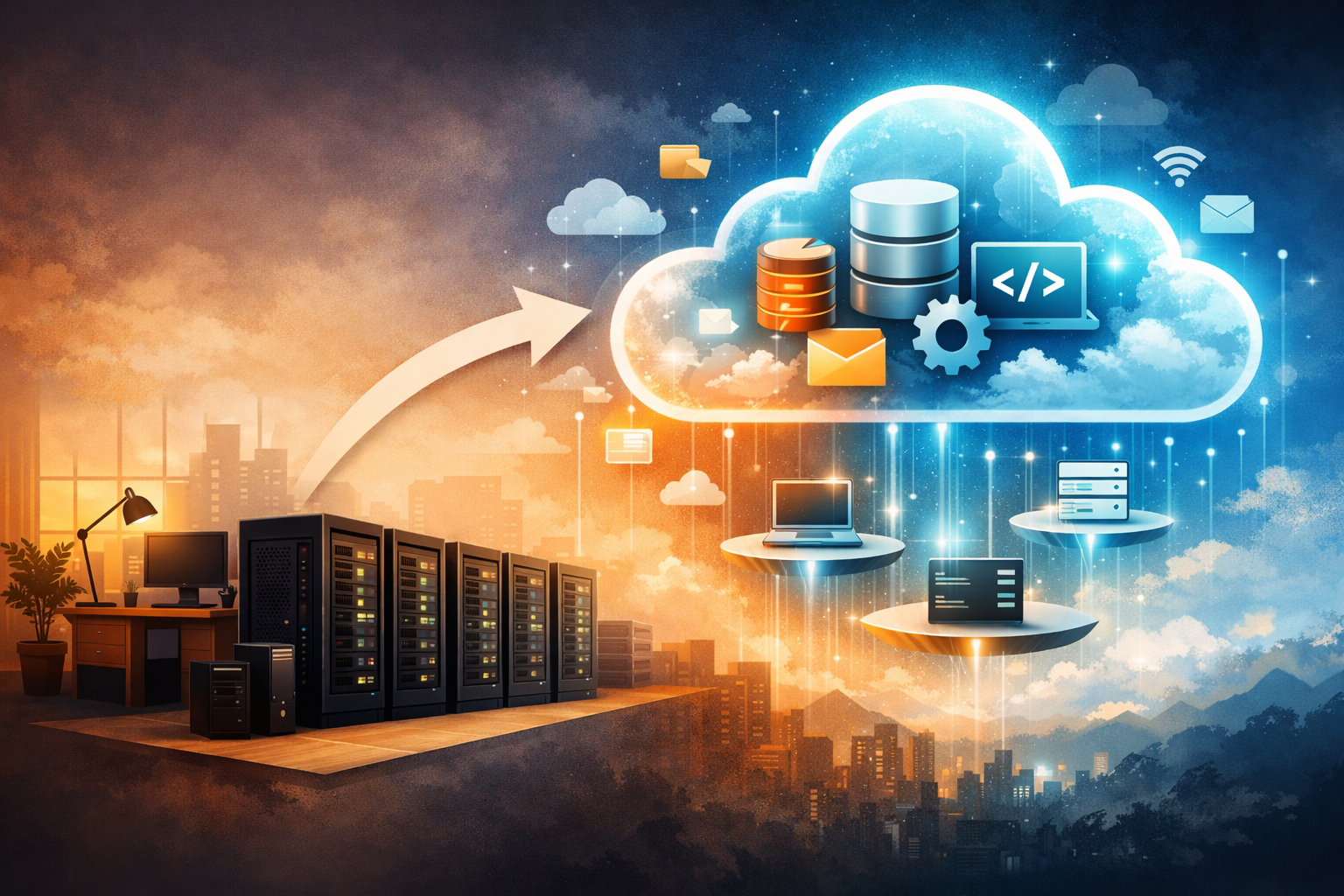
Serverless Explained: From Servers to Abstractions
Understanding Serverless Without the Jargon

Sandeep Varma

“Serverless” is one of those words that sounds confusing at first—especially if you don’t come from a software engineering background.
If there are no servers, how does anything actually run?
The short answer is: servers absolutely still exist.
The longer—and more useful—answer is that serverless is about abstraction, not absence.
This post is a foundational explanation of what serverless really means, why it exists, and how it shows up across different parts of modern software systems—without assuming any prior engineering knowledge.
What Is a Server, Really?
Traditionally, when you write software—an application, a website, or a program—you install that software onto a machine. That machine is called a server.
It’s called a server because it serves requests:
- A user asks for information
- The server responds with data
At its core, a server is just a computer.
You can think of it as similar to your laptop—but optimized differently. While your laptop is designed for personal use, a server is designed to:
- Run continuously
- Respond quickly
- Handle many users at the same time
If you want to understand servers and compute at a more fundamental level before going further, Fundamentals of Computing: Where Does the "Work" Happen in a Software System? builds that foundation clearly.
Why Laptops Don’t Scale
Your laptop works well for you—but it’s not built to support thousands or millions of users simultaneously.
It has limits:
- Limited computing power
- Limited network bandwidth
- Limited reliability for always-on workloads
That’s why companies use specialized computers—servers—to run software that many users depend on.
Life Before the Cloud: Data Centers
Before cloud computing, companies had to do everything themselves.
They would:
- Buy physical servers
- Place them in company-owned buildings called data centers
- Manage electricity, cooling (HVAC), networking, and physical security
- Replace hardware when it failed
Running software also meant running infrastructure.
This approach worked—but it was expensive, slow, and inefficient.
Cloud Computing Changes the Game
Cloud providers like AWS, Google Cloud, and Microsoft Azure changed this model. For a broader explanation of what cloud computing actually means and why companies moved to it, What Does the Cloud Actually Mean? provides an accessible mental model before we go deeper into serverless.
Instead of owning data centers, companies, with the help of Cloud technologies,could:
- Rent servers on demand
- Avoid buying hardware
- Let cloud providers handle power, cooling, and physical security
This solved a huge problem—but not all of them.
The Hidden Cost of “Just Renting a Server”
Even when you rent a server in the cloud, you are still responsible for it.
Much like owning a laptop, you must:
- Apply operating system updates
- Install security patches
- Monitor performance
- Restart the system if it crashes
- Scale it up or down based on traffic
This operational work takes time, people, and money.
Entire teams exist just to manage these responsibilities.
This is the problem serverless is designed to solve.
Serverless Is a Misnomer (But a Useful One)
Despite the name, serverless does not mean there are no servers.
Software must always run on machines, and those machines are still servers.
What serverless really means is this:
You no longer need to think about, manage, or maintain the server yourself.
The server still exists—it’s just completely abstracted away from you.
A Simple Analogy: Renting a Home
Imagine you’re renting a home.
You don’t own the house, but you live in it.
Would you call yourself homeless? Of course not.
Now imagine you’re living in a condo:
- You pay rent
- A management company handles maintenance
- Repairs, plumbing, and upkeep aren’t your concern
You focus on living your life, not maintaining the building.
Serverless works the same way:
- The house is the server
- Someone else owns it
- Someone else maintains it
- You simply use it for as long as you need
This is the essence of serverless.
Serverless as a Spectrum (Not a Switch)
Serverless is not an all-or-nothing concept.
Think of it as a spectrum of responsibility:
- On one end, you manage everything
- On the other end, you manage almost nothing
As you move along this spectrum, you give up control in exchange for convenience, simplicity, and lower operational cost.
Let’s look at how this applies across different layers of software systems.
Serverless Storage: A Familiar Example
Let’s start with something everyone understands—file storage.
Traditional Approach (No Cloud)
- Buy a server
- Install an operating system
- Store files on that machine
- Manage backups, upgrades, and failures
Serverless Experience
When you use Google Drive, Dropbox, or iCloud:
- You don’t know where files are stored
- You don’t manage disks or servers
- You just upload and retrieve files
You’re already using serverless storage.
You interact directly with functionality, not infrastructure.
Serverless Databases
Databases store structured data—users, products, transactions.
Traditional Approach
- Buy a server
- Install an operating system
- Install database software
- Patch the server
- Upgrade the database software
- Manage backups and failures
Cloud Middle Ground
- Rent a server
- Still install and manage database software yourself
Serverless Databases
With serverless databases:
- The database already exists
- You get credentials
- You start using it immediately
- Updates, scaling, and maintenance are handled for you
You don’t know where the database runs—and you don’t need to.
Serverless at the Application Layer
Now let’s look at applications and APIs.
Traditional Approach
- Buy or rent a server
- Install an operating system
- Install programming language runtimes
- Deploy your application
- Maintain everything
Serverless Application Platforms
With serverless platforms:
- You write application code
- You hand it to the cloud provider
- The provider runs it for you
You don’t install operating systems.
You don’t manage servers.
You just focus on your code.
Taking Serverless to the Extreme: Functions
There are many serverless services, and covering all of them is outside the scope of this foundational post.
However, one particularly popular model is serverless functions.
You may have heard them called:
- AWS Lambda
- Google Cloud Functions
- Azure Functions
The idea is simple:
- Break your application into small functions
- Each function performs one task
- Each function has its own URL
- You send a request and get a response
You have no idea where the function runs—and you don’t need to.
This represents the furthest end of the serverless spectrum.
Why Teams Choose Serverless
Serverless reduces:
- Operational overhead
- Infrastructure management
- Time spent on maintenance
It allows teams to focus on:
- Business logic
- Product features
- Delivering value faster
That said, serverless is not always the right solution.
There are trade-offs, and more traditional approaches still make sense in many cases.
Those nuances are best explored in follow-up posts.
Final Thoughts
Serverless isn’t about removing servers.
It’s about removing responsibility.
From storage, to databases, to applications, to functions, serverless represents a steady shift toward abstraction—where you trade control for simplicity and efficiency.
Understanding this spectrum helps you:
- Make better architectural decisions
- Ask better questions
- Communicate more effectively with engineering teams
What Do You Think?
- Did this explanation help clarify what serverless really means?
- Which analogy resonated most with you?
- Where do you think serverless makes sense—or doesn’t?
I’d love to hear your thoughts and experiences.
Share your feedback or questions below.
Did you find this useful?
Comments
Loading comments...
Please log in to post a comment.
About the author

I write about leadership and software engineering through the lens of someone who’s worked as a software engineer, product owner, and engineering manager. With a Bachelor’s in Computer Science Engineering and an MBA in IT Strategy, I bring together deep technical foundations and strategic thinking. My work is for engineers and digital tech professionals who want to better understand how software systems work, how teams scale, and how to grow into thoughtful, effective leaders.
Continue reading
Fundamentals of Computing: Where Does the “Work” Happen in a Software System?
Understanding Compute, Servers, Clients, Memory, and Storage
Serverless Functions: When Writing Just Code Is Enough
Understanding the Most Extreme (and Powerful) Form of Serverless Computing