Beyond the UI: A Deeper Dive into How Frontend Systems Really Work
From static files to modern frameworks, a mental model for understanding execution, performance, and architectural boundaries in web applications.

Sandeep Varma

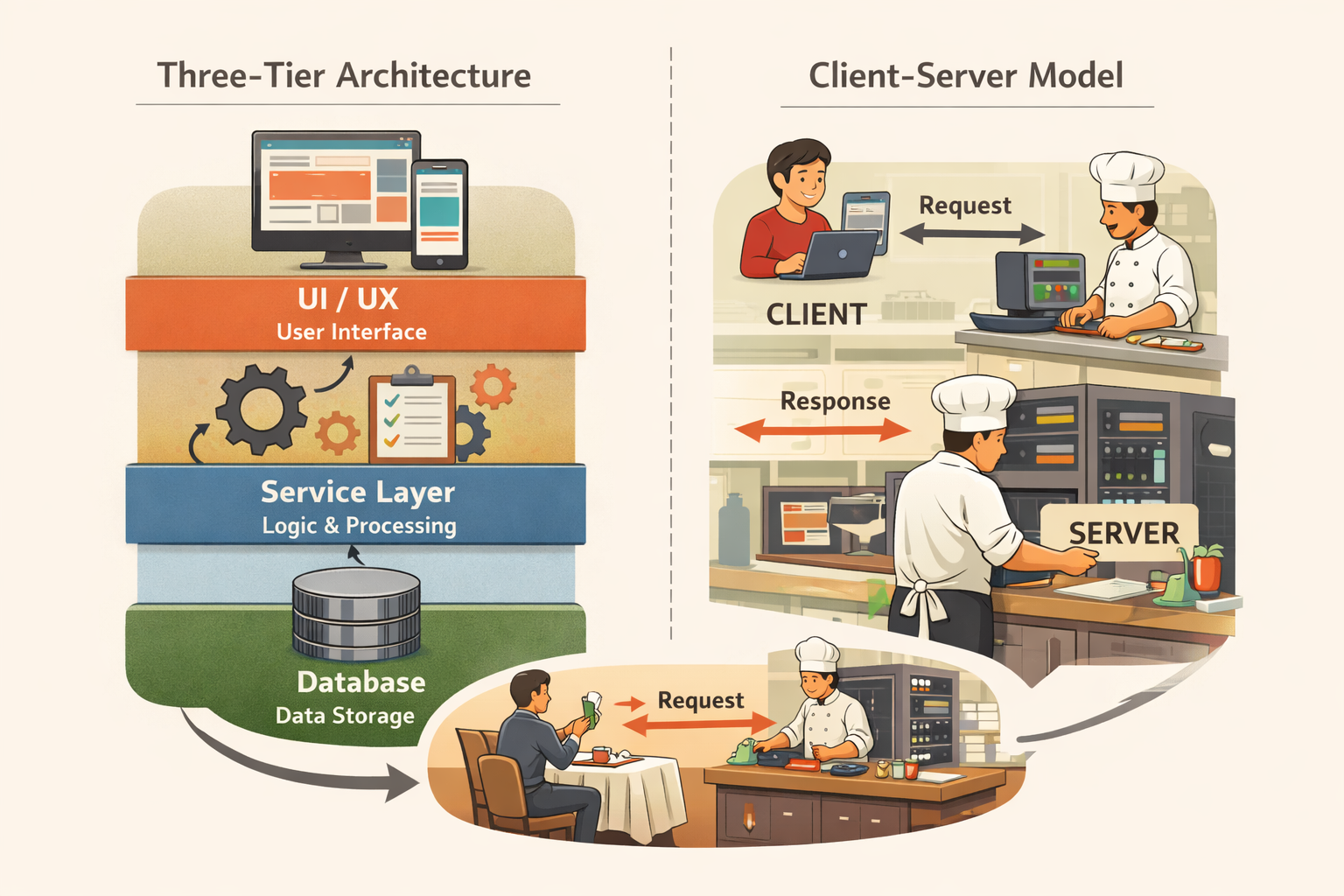
In a previous post, I introduced the Three-Tier Architecture as a simple way to reason about modern software systems. Instead of viewing software as one complex and inseparable block, we break it into three major layers: the frontend, the API layer, and the database. Each layer has a distinct responsibility. That separation makes systems easier to design, scale, secure, and maintain.
In this post, we will zoom in on the first layer. If all of this is new to you, I recommend going through the previous blog post first that introduces the Three-Tier Architecture architecture with a simple real world analogy.
Before we talk about APIs or databases, we need to understand what happens the moment you type a URL into your browser. Because before any backend logic runs or any data is retrieved, your browser loads a page. That page represents the user facing boundary of the entire system.
Understanding the frontend clearly makes everything else easier to reason about.
What the Frontend Really Is
The frontend is the visible and interactive layer of a software system. It is what users see, click, type into, and experience directly. When you open a website in Chrome, browse in Safari, or use a web application on your laptop or phone, you are interacting with the frontend layer.
For this discussion, we will focus primarily on web based applications since that is the most common environment. Native mobile applications follow similar principles, but they are distributed differently and run inside a more controlled runtime environment.
At a high level, the frontend is code that gets downloaded to your browser and executed on your device. This idea removes much of the mystery. The interface you see is not being continuously drawn by a remote server. Instead, files are delivered to you, and your device runs the code that constructs the experience.
This architectural separation exists for a reason. The frontend is optimized for presentation, usability, and responsiveness. It is concerned with how information is displayed and how users interact with it. It is not responsible for long term data storage or enforcing critical business rules. Those responsibilities belong to other layers.
What Happens When You Type a URL
When you type something like www.example.com into your browser, you are asking another computer somewhere on the internet to send you files. Those files live on a server. When your request reaches that server, it responds by sending back a set of files that define the page.
Your browser downloads those files and interprets them. It then renders the interface you see.
Conceptually, this is not very different from downloading a photograph. A file is transferred from one machine to another. The difference is that instead of a single image, the browser receives a combination of files that define structure, appearance, and behavior. The browser processes those instructions and constructs a working interface on your screen.
This is the foundation of the frontend.
Static Files as the Starting Point
At its core, a website is simply a collection of static files. A static file is a file stored on disk that does not change on its own. Examples include an image, a PDF document, or a text file saved on your computer. Once created, those files remain the same unless someone edits them.
Early websites followed this exact model. Developers created an HTML file for structure, a CSS file for styling, and a JavaScript file for behavior. These files were placed on a server. When a user visited the site, the browser downloaded them and rendered the page.
Static does not mean non interactive. Even if the files themselves are static, JavaScript inside those files can create dynamic behavior after the page loads. The important idea is that what gets delivered to your browser already exists as a file.
As applications grew more complex, this simple file based approach needed more organization, but the foundation has not changed.
The Three Core Technologies
Browsers ultimately understand three core technologies: HTML, CSS, and JavaScript. HTML defines structure and answers the question of what exists on the page. CSS defines appearance and controls layout, colors, and spacing. JavaScript defines behavior and determines what happens when users interact with elements.
For example, HTML might define that a button exists. CSS determines its size, position, and color. JavaScript defines what happens when that button is clicked. Regardless of how advanced modern tooling becomes, everything eventually resolves to these three building blocks.
It is also important to clarify that JavaScript is not the same as Java. The names sound similar, but they are entirely different technologies created for different purposes. The similarity in naming is historical rather than technical.
When Simplicity Stopped Scaling
As web applications became more interactive and feature rich, manually managing separate HTML, CSS, and JavaScript files became difficult. Projects expanded. Files multiplied. Dependencies became harder to track. What worked for simple pages did not scale for large applications with complex user interactions.
Frontend development needed better structure and organization. This is where modern frameworks began to emerge.
Modern Frameworks and Component Based Design
Frameworks such as React, Angular, and Vue introduced structured ways to build large scale interfaces. Although they differ in approach, they share a central idea: components. A component is a self contained piece of the interface that groups structure, styling, and behavior together.
Imagine a sign up form containing fields for first name, last name, email, phone number, and a submit button. Instead of scattering those elements across multiple disconnected files, modern frameworks allow you to define them together as a reusable component. That component can then be reused across the application, improving maintainability and consistency.
Behind the scenes, these frameworks still generate HTML, CSS, and JavaScript. The browser does not understand React or Angular directly. It only understands the output they produce. Frameworks are organizational tools for developers. They do not change the fundamental execution model of the web.
Client Side Rendering and Server Side Rendering
As frontend frameworks evolved, rendering models also evolved. In some applications, the browser receives basic HTML and then uses JavaScript to construct most of the interface after loading. This approach is commonly referred to as client side rendering. In other cases, the server prepares a more complete HTML document before sending it to the browser. This is often called server side rendering.
Regardless of which approach is used, the end result is the same. The browser ultimately receives HTML, CSS, and JavaScript and executes them locally. The distinction affects performance characteristics and user experience, but it does not change the core model.
Where Frontend Computation Happens
One of the most important architectural distinctions is where computation runs. Frontend computation happens on the user’s device. When a page loads, your browser parses HTML, applies CSS rules, executes JavaScript, and renders the interface on your screen. All of that processing occurs on your laptop or phone.
This is why performance can vary across devices. A newer machine may handle complex interfaces smoothly, while an older device may struggle. Different browsers may also produce slightly different experiences because they use different rendering engines and JavaScript runtimes.
The frontend operates in an environment you do not control. You are asking the user’s device to perform meaningful computation.
Security and Responsibility Boundaries
Because frontend code runs on the user’s device, it can be inspected, modified, and even overridden. Anyone can open browser developer tools and view the JavaScript that was downloaded. This has important architectural implications.
Imagine a situation where the frontend contains logic such as, “If user role equals admin, show the admin dashboard.” From a visual standpoint, this may appear sufficient. The page may hide certain buttons or features for non admin users. However, since that logic exists in code running on the user’s browser, a technically inclined user could modify that condition locally. They could alter the check, force the interface to display restricted elements, or manipulate requests being sent to the server.
This is why frontend checks alone are never enough.
The frontend can control what is displayed. It cannot control what is truly allowed.
The flaw is overcome by the API layer which I elaborate in a different blog Understanding APIs. Unlike frontend code, the API runs on servers controlled by your organization. The software deployed there is not accessible to end users. When a request is sent from the frontend, the API is responsible for validating permissions, enforcing business rules, and ensuring that unauthorized access is rejected. The API communicates with the Database layer, which acts as the durable source of truth. If recommend reading that blog, Understanding Databases,for a deeper understanding
This does not mean frontend validation is useless. In fact, it is still recommended. Frontend checks improve user experience by hiding irrelevant features, preventing obvious mistakes, and providing immediate feedback. They make interfaces cleaner and interactions smoother. But final authority must always live in the backend.
The frontend focuses on representation and experience. The API layer enforces correctness and security. Keeping that boundary clear is essential for building secure and scalable systems.
Why Frontend Decisions Matter for Product Teams
For product managers and non engineering stakeholders, understanding the frontend is not just a technical exercise. Frontend complexity influences delivery timelines, design feasibility, and performance outcomes. A small visual adjustment may require substantial structural changes in the frontend code. A heavy design decision may impact load times and engagement metrics.
Performance decisions at the frontend layer directly influence how users perceive the product. Slow rendering, large assets, or excessive client side logic can affect conversion rates and retention. The frontend is where user perception is formed.
That is why frontend architecture decisions are not isolated engineering concerns. They are product decisions.
Connecting Back to the Three Tier Model
We have now examined the frontend layer in detail. It is responsible for presentation and interaction. It runs on the user’s device. It delivers experience, not persistence. It should not be trusted with critical system enforcement.
In the three tier model, the frontend is about user experience. The API layer is about controlled computation and business logic. The database layer is about durable data storage.
When the frontend needs data, it does not fetch it directly from a database. It communicates with the API layer. That interaction forms the bridge between user interfaces and backend systems.
In the next post, we will move beyond the browser and explore how APIs work, where backend computation runs, and how systems enforce rules that the frontend cannot safely handle.
If you work closely with engineering teams, how do you currently think about the frontend layer? Does this perspective change how you see user interfaces and product tradeoffs? Share your thoughts, and in the next post we will continue building this architectural foundation.
Did you find this useful?
Comments
Loading comments...
Please log in to post a comment.
About the author

I write about leadership and software engineering through the lens of someone who’s worked as a software engineer, product owner, and engineering manager. With a Bachelor’s in Computer Science Engineering and an MBA in IT Strategy, I bring together deep technical foundations and strategic thinking. My work is for engineers and digital tech professionals who want to better understand how software systems work, how teams scale, and how to grow into thoughtful, effective leaders.
Continue reading
Partnering on Engineering with Product and Design
A practical look at how engineering managers align product goals, technical feasibility, and design decisions to deliver meaningful software.
Building a Culture Where Teams Truly Stick Together
A practical look at turning siloed groups into teams that genuinely support each other.